Run a lift test
You measure one specific change: a budget you raised on a date, a campaign you switched off. Lift compares the days that followed against what would have happened if you had done nothing, and reports the effect with a 95% confidence interval.
What lift measures#
Every time you raise a budget or switch a campaign off, the next question is the same: did it actually make a difference? The raw number for the following fortnight cannot answer it, because your sales have a trend, a season and daily noise anyway.
Lift does this: it fits a model on the data from before the action date, uses it to predict what the following days would have looked like had you done nothing — the counterfactual — and sums the difference between reality and that prediction. That sum is the incremental lift, and it always arrives with a 95% confidence interval.
The unit of analysis is an action, not a channel. For the long-run portfolio picture use the marketing mix model; that tool needs about two years of data, while lift works with about two months.
Lift (incrementality) is not in the Free plan. If the property is on Free you get an upgrade screen instead of the page, with an Upgrade plan button. The docs are not wrong — that property's plan does not include the feature, and plans are set per property.
Define the action#
Tests live at /lift. Creating one means answering two sets of questions: what you did, and what you want the effect measured on and over how long.
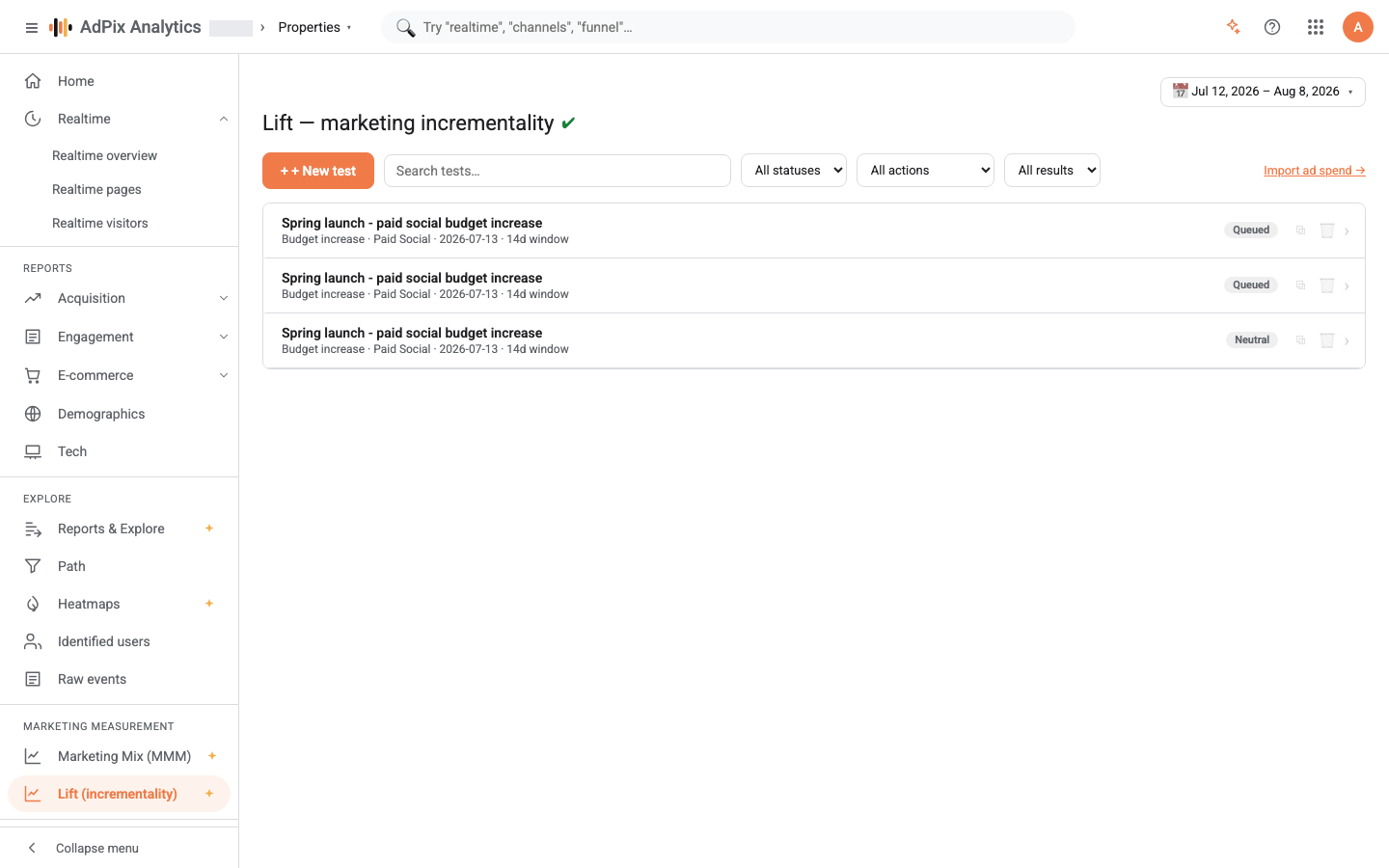
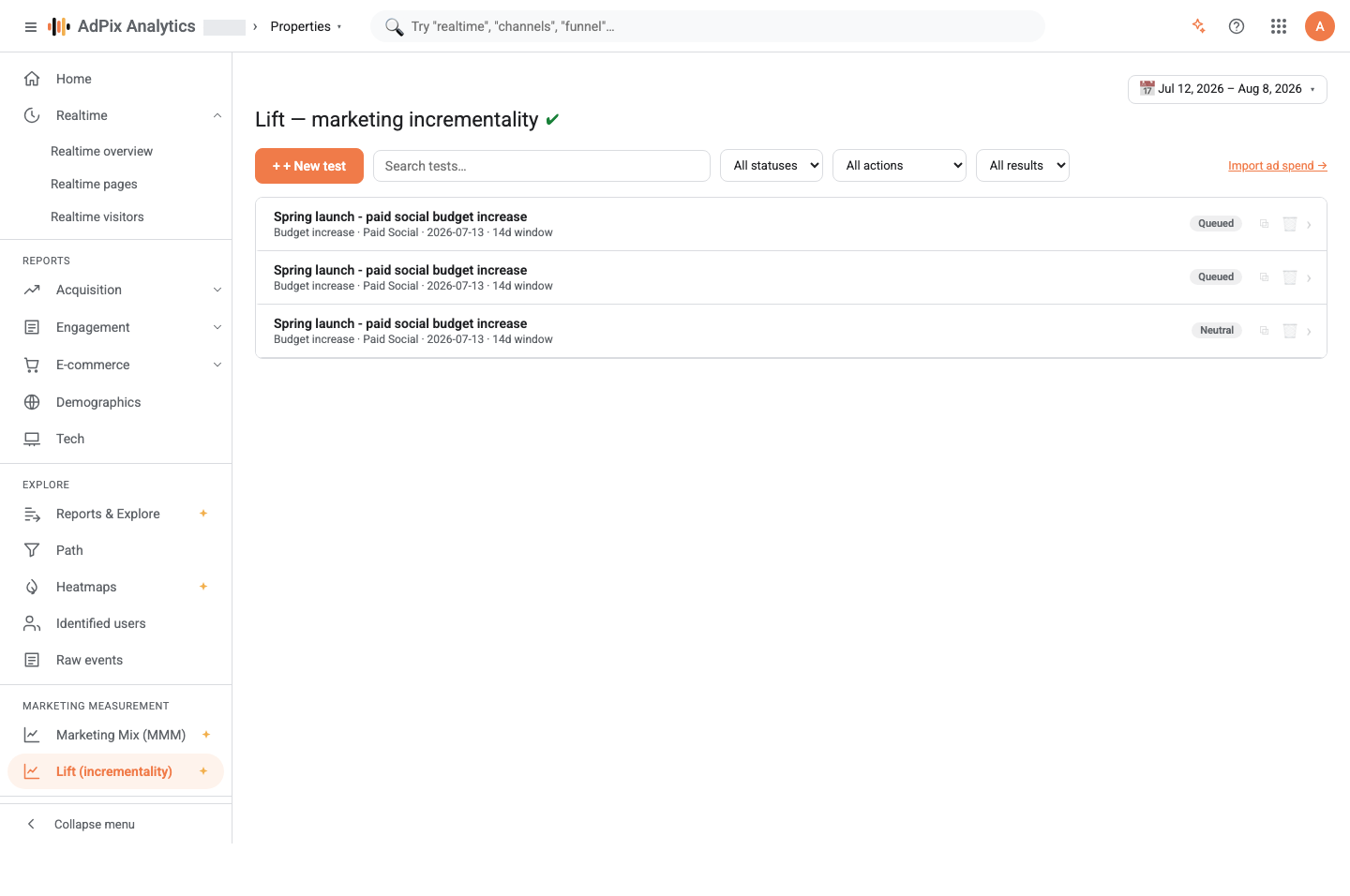
The list shows each test's name, action type, channel, date and window length, with either its current status (Scheduled, Queued, Running, Failed) or the finished verdict at the trailing edge. Tests still in flight sort to the top.
The fields that change accuracy#
| Field | Default | Why it matters |
|---|---|---|
| Measurement period | 14 days | only 7, 14 or 28 are accepted. 14 covers two full weekly cycles and is the balanced choice for most volumes |
| Pre-period (days of history) | 56 days | the raw material for the counterfactual. The field's hint recommends at least 42; below 14 nothing can be fitted |
| Use organic demand as a control | on | feeds organic and direct session volume in as a demand proxy, so a market-wide swing is not charged to your action |
| Engine | Ensemble (fast) | the default is fast; Bayesian (rigorous) is slower and stricter about expressing uncertainty |
If you are unsure whether to believe the results, create a test on a date where nothing happened. The verdict should come back Neutral. That is exactly what the product's own gate checks, and it is the simplest way to decide how much to trust the rest of your tests.
How the counterfactual is built#
The default engine (Ensemble (fast)) fits a couple of candidate models on the pre-period — a structural time series with a random-walk level and a weekly season, and a "same day last week" seasonal-naive baseline — and keeps whichever scores the lowest error on a held-out tail of the pre-period. It then refits on the full pre-period and forecasts the days after the action.
The width of the band comes from a block bootstrap of the residuals: the model is refitted dozens of times on synthetic series so that both parameter uncertainty and future noise land inside the interval. Seven-day blocks preserve the weekly autocorrelation.
The Bayesian (rigorous) engine fits the same shape — random-walk level, weekly seasonality, regression on the control — as a Bayesian model and simulates the counterfactual from the posterior. It is slower, and when daily volume is low its interval widens honestly.
Both engines take any calendar seasonality events — Nowruz, Ramadan, Muharram and the rest — that fall inside the test window as exogenous controls, so a holiday surge is not charged to your action. The seasonality calendar explains where those come from.
Why a test sits on Scheduled#
If the measurement window has not finished, the test does not run immediately — it waits on Scheduled. It starts automatically once the last day of the window has passed, plus 2 days of settling for conversions that arrive late (server-side orders, delayed attribution).
That is deliberate. Scoring a window that has not finished compares empty days against a full counterfactual, and the result is a fake negative lift. You do not need to do anything; the test queues itself.
Read the result#
The verdict and the interval#
The top of the result drawer summarises the action, with the verdict badge at its trailing edge:
| Verdict | What it means |
|---|---|
| Positive | the whole 95% interval on the lift sits above zero |
| Negative | the whole interval sits below zero |
| Mixed | the interval excludes zero, but strongly positive and strongly negative days are both common — the effect is not uniform |
| Neutral | the interval contains zero |
Below it, a plain-language sentence says the same thing, next to Significant (p=…) or Not significant (p=…). That p is a tail probability and earns the "significant" label below 0.1 — but the verdict is the authority, and it is decided by the 95% interval alone. The fit MAPE beside it reports the counterfactual's quality on the pre-period: the lower it is, the closer the prediction tracked your site's real behaviour.
A neutral verdict is a result, not a failure#
This is the most important sentence on the page. Neutral means the change you observed fits within that series' natural variation. The model deliberately declines to claim an effect it cannot defend.
Neutral does not always mean the same thing, and the Detectability card separates the cases:
| Label | Minimum detectable effect | How to read it |
|---|---|---|
| High confidence | under 5% | the test could see a small effect; neutral probably means there was none |
| Medium confidence | under 10% | neutral is meaningful, but small effects would have slipped through |
| Low — wide bands | under 20% | only large effects were visible |
| Underpowered | over 20% | the test never had the power; neutral says nothing about the action |
So an Underpowered test with a Neutral verdict means "we don't know", not "it did nothing". Fix it with one of: a longer measurement period, a longer pre-period, or a metric with more daily volume (add_to_cart rather than purchase when orders are sparse).
The effect cards#
- Incremental lift — the summed difference between reality and the counterfactual across the window, with the relative percentage and the 95% CI.
- Daily avg (all) and Daily avg (organic) — the cannibalization view. If the total rose while organic fell by about as much, the action mostly moved demand around.
- Incremental revenue — modelled directly for a revenue metric; for a conversion metric it is the lift multiplied by the pre-period average order value.
- Ad spend (window), Incremental ROAS and CPA — all based on the spend of the channel and campaign you named in the definition. If your role may not see cost, these three cards do not appear.
The chart and the daily table#
In Incremental effect over time, the solid line is Observed, the dashed line is the Counterfactual, the shaded area is the 95% prediction band, and the thin line is Organic. The vertical marker sits on the action date. Where the solid line rises above the shaded band, the lift is real; inside the band is what would have happened anyway.
The Only show after the action checkbox drops the pre-period so you can concentrate on the measurement window. Daily incremental lift (post-period) gives the same thing as numbers day by day, and Advanced data puts the raw pre and post totals side by side for all traffic and for organic.
What lift cannot tell you#
The counterfactual extends the pre-action trend. Anything else that happens at exactly the same time as your action is charged to your action: a price change, another channel's campaign, a press mention, an outage.
Three guards are in place — the organic demand control, the calendar seasonality events, and the neutral-by-default verdict — but none of them replaces your own discipline:
- Change one thing at a time and record its date precisely.
- For simultaneous actions on several channels, create separate tests with separate channels.
- The control assumes the action does not affect organic itself. If your campaign visibly lifts brand search, that assumption weakens — turn the control off and compare both readings.
A finished test can be Edited (saving re-runs it), Duplicated so the definition is ready for the next action, Re-run when data arrived late, or exported from the Export menu as a PDF report, CSV (data) or PNG (chart).
A significant lift test on a named channel is the best possible calibration input for the MMM. Enter its ROI and standard error in the Calibration experiments (anchor the model to lift tests) card and the next model run ties your causal measurement to the observed history.
Frequently asked questions#
Does a neutral verdict mean the test failed?
No. Neutral means the change you saw fits inside the counterfactual's confidence band, so it cannot be credited to the action. That is a real result, and it is what stops you spending against random noise. The detectability card tells you how large an effect the test could have seen at all.
Why is my test stuck on Scheduled?
Because the measurement window has not finished. A test runs automatically once every day of its window has elapsed, plus 2 days of settling for conversions that arrive late. Scoring a half-finished window produces a fake negative lift.
How long should the pre-period be?
The form starts at 56 days and the field's own hint recommends at least 42. Below 14 days nothing can be fitted and the test closes with a not-enough-data message. A longer history means a more accurate counterfactual and a narrower interval.
How is this different from the marketing mix model?
Lift measures one action over a short window and works with roughly two months of data; the marketing mix model measures the whole channel portfolio over roughly two years. They are complementary, and a lift result can be fed to the MMM as a calibration prior.
Thanks — your feedback helps us improve the docs.