Create and Modify event rules
An event rule lets you mint a new event, or change an incoming one, without touching your site's code. One choice on this screen — the counting method — decides directly whether your conversions are counted once or several times over.
The two things a rule can do#
Event rules live under Admin → Property settings → Events and come in two kinds:
| Kind | What happens |
|---|---|
| Create event | When an incoming event matches the conditions, one additional event is emitted under a name you choose. The original event is untouched. |
| Modify event | When an incoming event matches, that same event is renamed, or its parameters are changed, in place. Nothing new is created. |
A created event inherits the source event's identity, session, geography and attribution verbatim; only its name and parameters differ. Tick Copy parameters from the source event and the source's parameters come across too, with your modifications applied on top.
Modify rules also run against created events, but a created event never triggers another Create rule. An infinite loop is therefore not possible.
What conditions can match on#
Every condition is a parameter, an operator and a value. Above the conditions you choose whether all of them must match or any of them.
Six reserved names map straight onto the event's own fields:
| Parameter | What it is |
|---|---|
event_name |
the event name. For page views and identify calls, the event type stands in for it. |
event_type |
the event type. |
page_location |
the full page URL. |
page_path |
the path only — no host, no query string. |
page_referrer |
the referrer. |
page_title |
the page title. |
Any other name is read from that event's parameters — the ones you sent with ap('track', …) or ap('ecommerce', …). The parameter box suggests names actually observed in your data and also accepts anything you type.
The operators are eq and neq, eq_ci and neq_ci (case-insensitive), contains and not_contains, starts_with, ends_with, regex, and four numeric ones: gt, gte, lt, lte. A numeric operator never matches a non-numeric value, and an invalid regular expression simply fails to match rather than erroring.
A rule with no well-formed condition runs against nothing. That is deliberate — a misconfigured rule must not fire on every event.
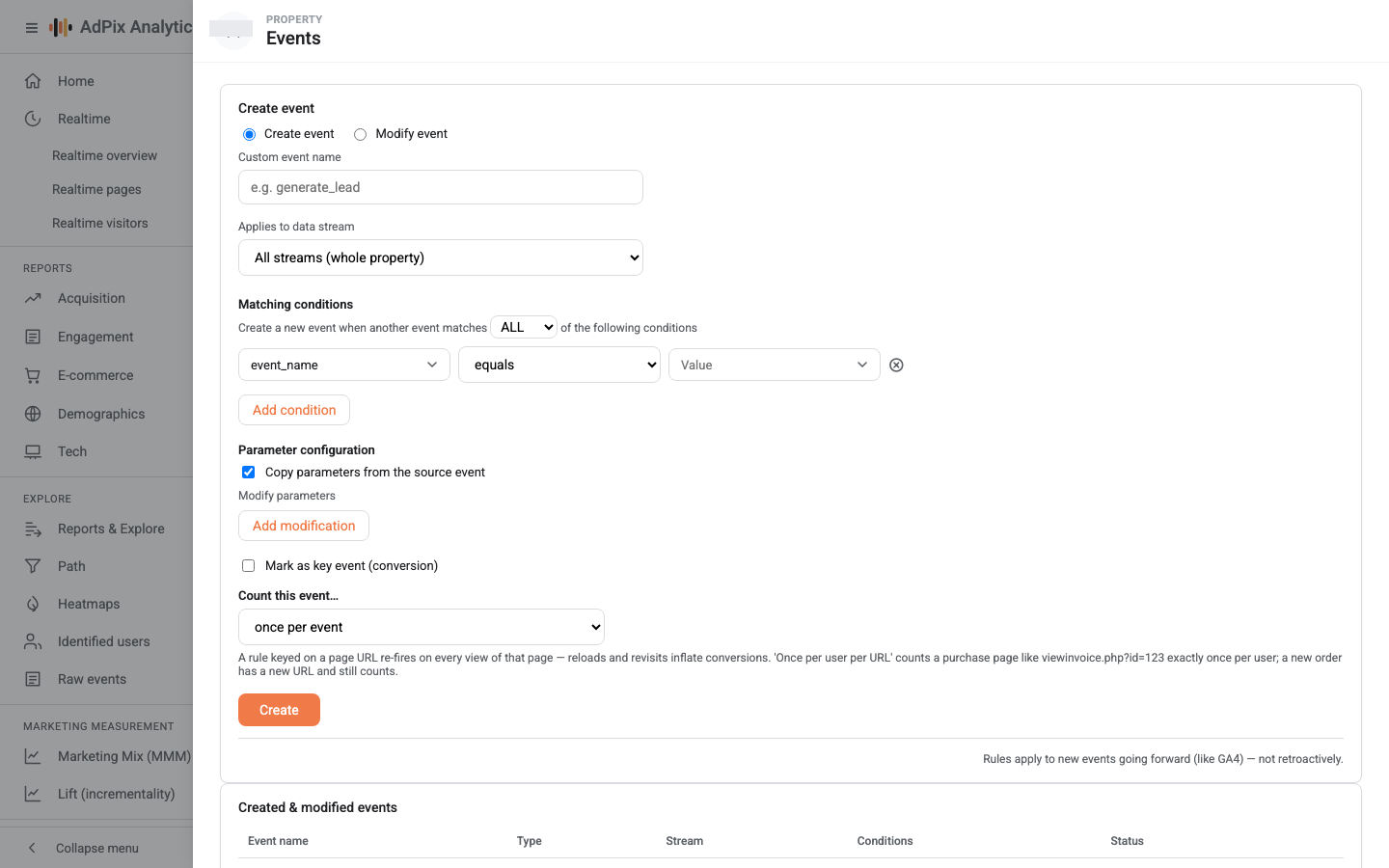
The event name must begin with a letter, then letters, digits and underscores only, up to 40 characters. If a condition is incomplete or the name breaks the rules, the form comes back with the check list and a ✗ next to what failed, and nothing is saved.
Scope: which data stream#
Each rule applies either to All streams (whole property) or to exactly one data stream. At collection time an event is evaluated against the unscoped rules plus the rules bound to its own stream.
This is the only place events are separated by their source stream — reports do not make that distinction. So if two sites sit under one property and both have a payment-success page on the same path, bind the rule to the right stream or one site's purchases will be recorded against the other.
Counting: the most consequential choice here#
For Create rules, the Count this event… dropdown offers three options. It decides how many events are actually counted when the rule fires repeatedly on the same situation.
| Option | The created event's identity is derived from |
|---|---|
| Once per event | a fresh ID on every firing — each firing counts |
| Once per session | property + session + event name + the full page URL |
| Once per user per page URL | property + visitor + event name + the full page URL |
The last two derive the event ID from those few values, so later firings on the same URL land on the same identity and collapse into one.
A rule whose condition is a page URL re-fires on every view of that page: a reload, a back-navigation, the customer reopening the invoice days later. If that rule creates a conversion, each of those is a fresh "order".
On a real property this combination — a conversion rule keyed on the page URL, plus a separate defect that fired the page view twice — reported 74 real orders as 277 conversions. Deployed rules were moved once, automatically, off "once per event" onto a narrower counting scope to stop the bleeding.
The root cause was fixed afterwards: today one page load produces exactly one page view. With that correction, Once per event counts correctly again — one conversion per load of the success page, which is what GA4 shows — and it is the default for new rules.
Your choice today:
- Once per event — the default, and right for most cases.
- Once per session — when the success page has a static URL and customers reload it a lot. Note that this collapses two orders placed inside one 30-minute session into one.
- Once per user per page URL — only when the URL itself identifies the order, such as
viewinvoice.php?id=123. If the payment-success URL is static, this option discards every repeat purchase by that customer, forever — for a business with renewals, that is most of them.
If your property was set up before these corrections, its conversion rules may still be sitting on "once per session". Open the Created & modified events list, edit each conversion rule, and weigh its counting choice against how your site actually behaves.
A transaction ID beats every URL heuristic#
Counting on a page URL ultimately counts page loads, not orders. As long as a customer can reopen the payment-success page, a small gap remains.
The exact approach is to give the order an identity. If a created event carries a transaction_id or order_id parameter, its event ID is derived from that transaction and overrides every other choice: repeat firings collapse, and a genuinely second order — a different ID — still counts.
Two ways to get that ID in place:
- Send the order from your server. The server-to-server path carries the order ID and is exact from the start — Server-side tracking.
- Or, inside the rule itself, use a parameter modification to set
transaction_idfrom wherever you have it.
Building a rule#
The Mark as key event tick is only a shortcut; it does exactly what adding the name by hand under Key events does. Their real difference is covered in Key events.
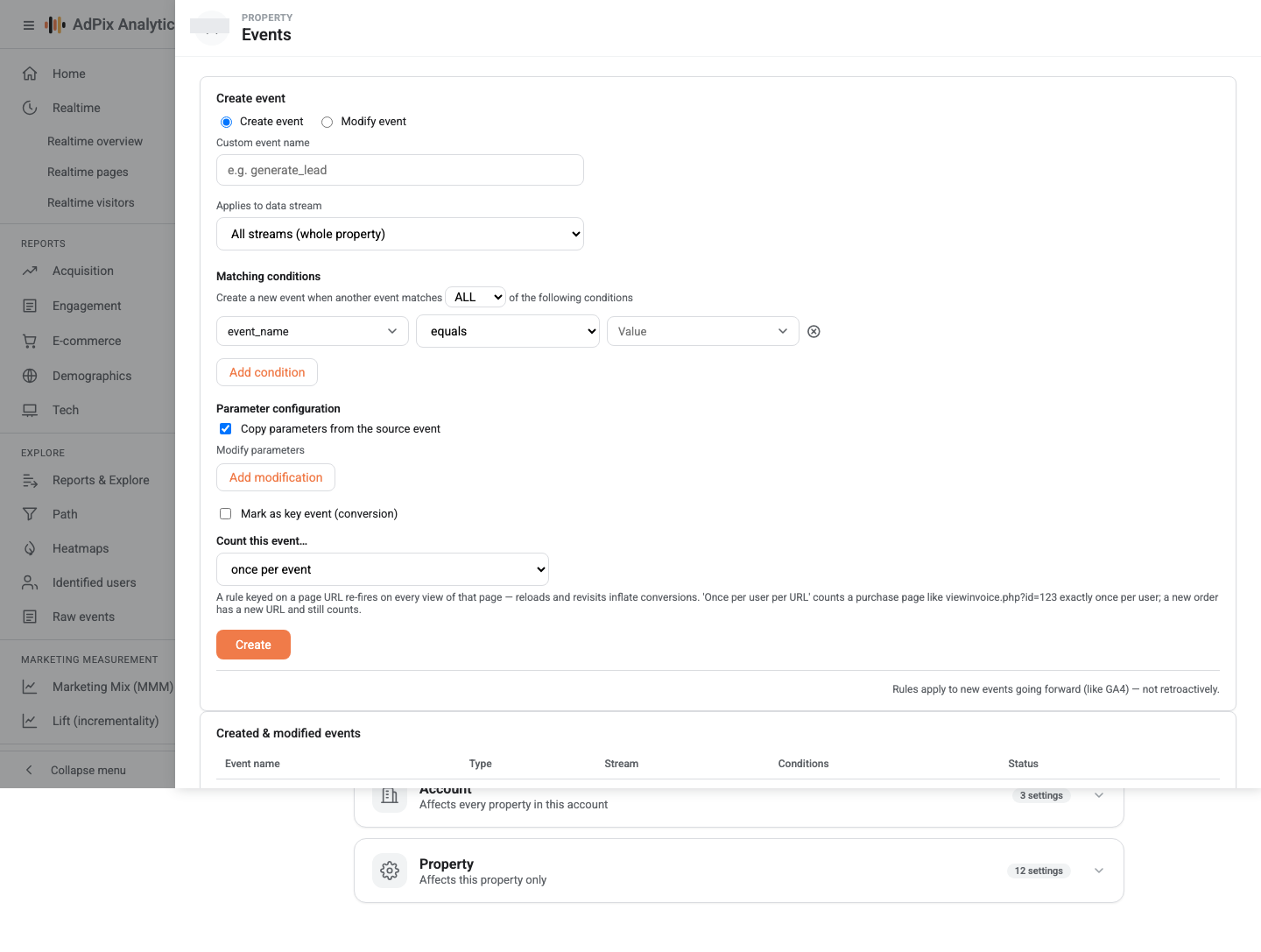
The list below the form shows each rule with its kind, stream, condition summary and status. A disabled rule is never loaded into collection at all, so switching it off is exactly like deleting it — and, unlike deleting, reversible.
Modify rules in practice#
Modify rules are good for two jobs: normalising names when several site templates send the same action under different names, and cleaning up parameters before they reach reports.
Modify rules run in priority order, and the console creates them all at the same priority. So if two modify rules can match one event, do not rely on their order — write the conditions so only one of them matches.
Boundaries worth knowing#
- Going forward, not backwards. Saving a rule changes nothing about data already collected.
- Up to a minute to take effect. Each property's rule set is refreshed every 60 seconds.
- Browser path only. Server-to-server events do not pass through rules.
- CRM destinations are stricter. A business event created by a rule is forwarded to external destinations only if it carries a transaction or order ID, or a positive value. A conversion minted purely from a page URL stays in AdPix reports but never registers as an order in your CRM — that is deliberate, and it is what keeps phantom orders out of a customer panel.
- Creating, updating and deleting a rule is written to the audit log, and any of the three requires the marketer role or above.
Frequently asked questions#
Do rules apply to data already collected?
No. Rules run at collection time and only take effect going forward — exactly like GA4. Existing events are never rewritten and no background job re-derives them. Key events are the opposite: marking one applies to history too.
How long before a new rule takes effect?
Up to one minute. Collection keeps each property's rule set in memory and refreshes it every 60 seconds, so save, wait a moment, then test.
Does a condition on "`event_name` equals `page_view`" work?
Yes. A page view carries an empty event name and holds its name in the event type, but the condition evaluator knows this case and returns page_view for matching — the same as GA4.
Do rules run on events I send from my server?
No. Rules apply to the browser path only. An event arriving through the server-to-server API is recorded with exactly the name and parameters you sent, so get it right at the source.
Thanks — your feedback helps us improve the docs.